
How do I change my email address?
If you need to change the email address you use to sign into your H&R Block account, you can do so in your Account settings.
Follow these steps:
-
Go to H&R Block’s tax software and sign in.
-
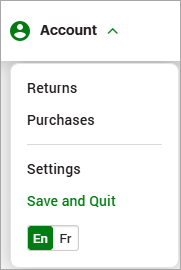
Go to the top right hand corner of the page and under Account click Settings.
-
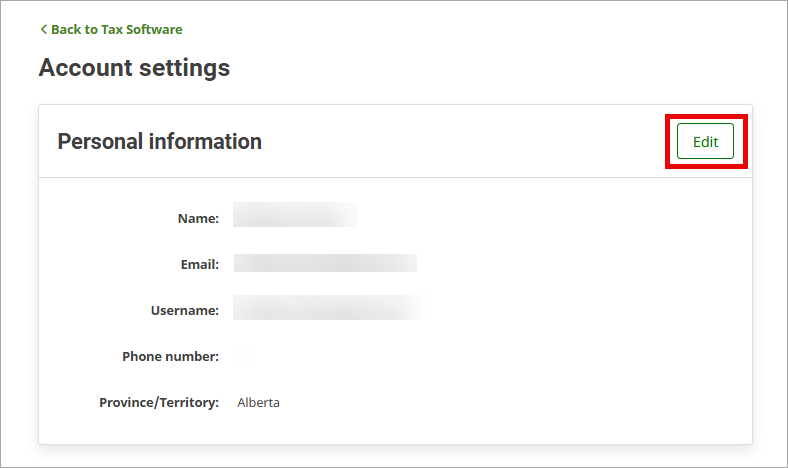
In the page that pops open, next to Personal Information, click Edit.
-
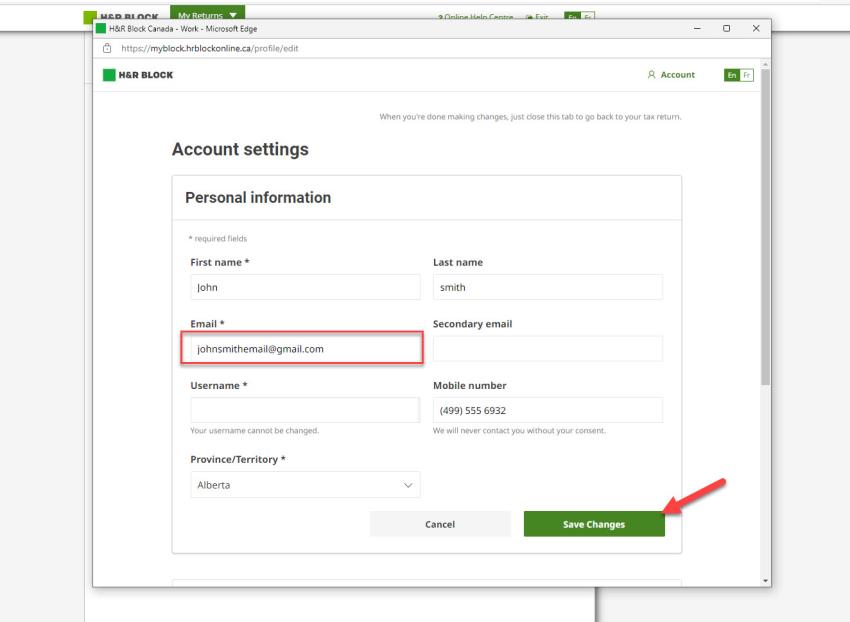
Under Email, enter your new email address and click Save Changes.
Note: This information is not part of your tax return, it’s only part of your H&R Block account.
